
Easy Content Editing with Keystatic CMS

Web Reaper
3 min read
If you’ve asked yourself, “My static website is beautiful, but how is my mom supposed to edit the blog posts?” then you’re in luck!
One of the most requested features for Cosmic Themes has been a CMS for editing blog posts and other content. We are excited to announce that all paid themes now come integrated with Keystatic CMS. The best part? It’s completely optional (oh, and it’s free to use).
How Does This Benefit Me?
This unlocks more ways you can use or sell websites made with the themes. You can now offer a CMS to your clients, or use it yourself to make content editing easier. This is a great way to make your websites more accessible to a wider audience.
For example: you create a website for a local small business. They want to be able to edit their blog posts, but they don’t know how to use markdown. Now, you can offer them a CMS to edit their blog posts, and they can do it without needing to know anything about coding.
What You Can Edit
The themes are currently set up to allow Keystatic to edit:
- Blog posts
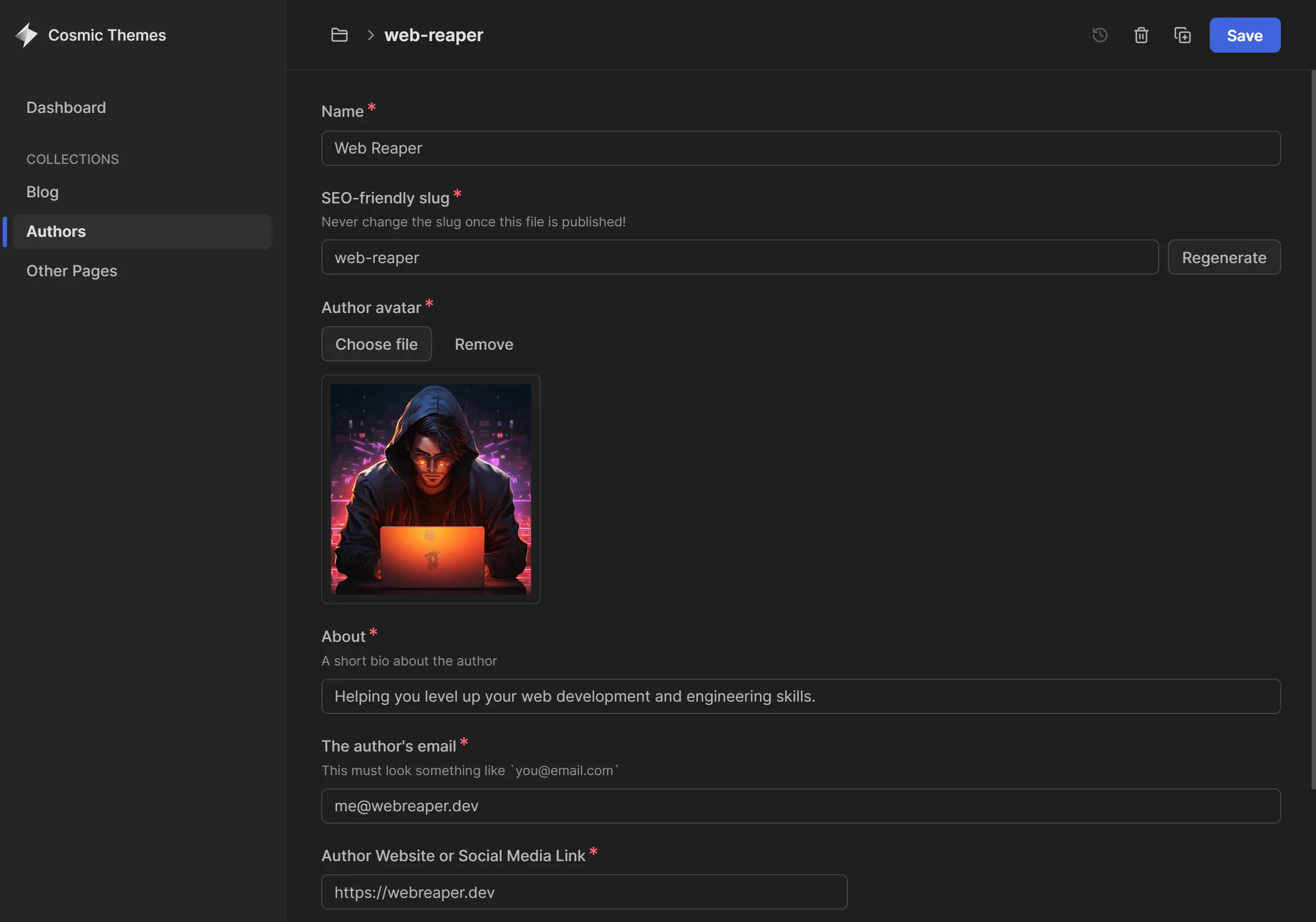
- Authors information
- Other Pages (like privacy policy and other
notfun legal things)
INFO
You can even use custom components within the rich text editor, like this <Admonition> component you’re reading right now.
What is Keystatic?
Let’s backtrack a little bit so I can give you more of an intro to Keystatic itself. Taken directly from their homepage:
A new tool that makes Markdown, JSON and YAML content in your codebase editable by humans. Live edit content on GitHub or your local file system, without disrupting your existing code and workflows.
How it Works
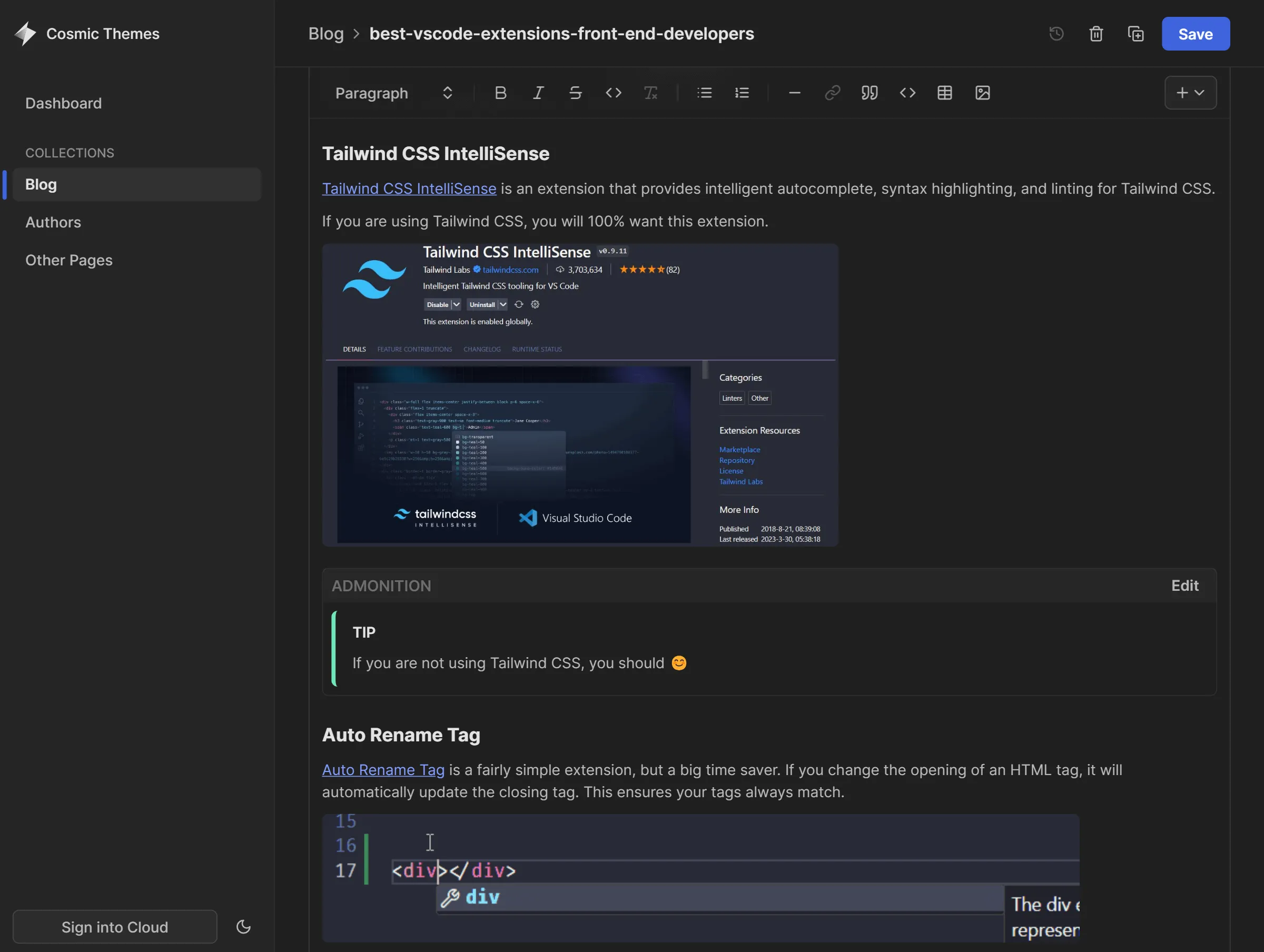
Keystatic CMS allows you to edit blog posts, authors, and other pages content collections with a friendly user interface. To access it, start up the dev server and go to the /keystatic route of your site. You’ll now see the editor.
The themes are currently set up to use Keystatic locally when in dev, so it will directly edit files in your filesystem. When deployed, it will use the Keystatic Cloud to edit the content directly within your github repository. The cloud is currently free for up to 3 users!
INFO
A redirect is also setup so that you can access it at /admin. This aligns with most CMS implementations.
A Look at the Interface
Because showing is better than telling. Note: I happen to be biased toward dark mode (there is also a light mode):
Blog Rich Text Editor
Author Interface
What If I Don’t Want Keystatic?
This is an addition to the existing blog setup. If you don’t want to use it, you don’t have to. You can still just use the MDX blog if you prefer, as Keystatic is set up to edit the content collection files.
If you have no plans to use it, you can remove it and all associated integrations and files from the project. Should you need any assistance with this, send us a message for support.
Want More Details?
For more details, check out our documentation on the Keystatic integration.
Production-ready Astro Templates
Templates with tons of features others leave out. I18n, CMS, animations, image optimization, SEO, and more.